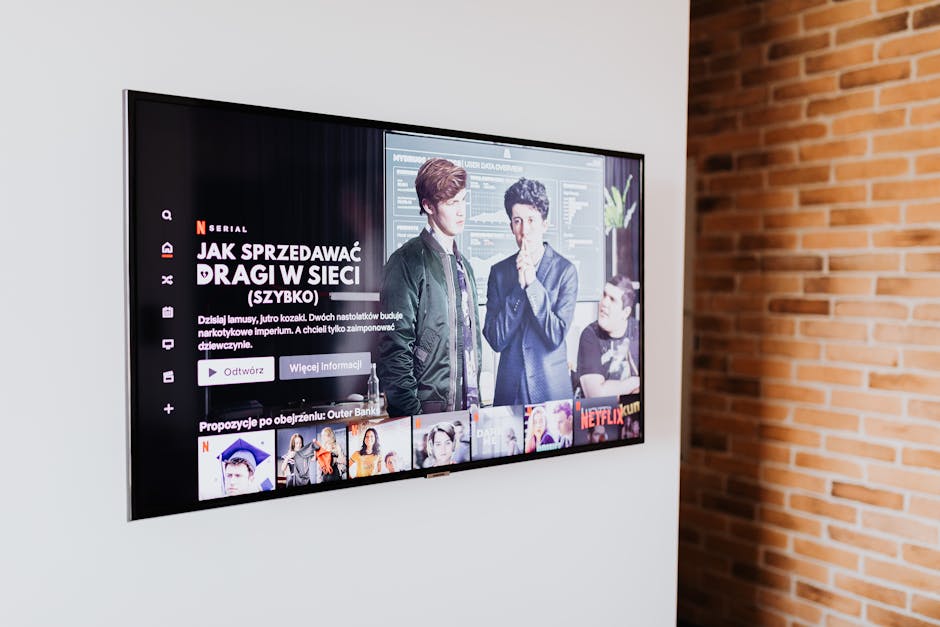
Three friends came over for the season finale. The good one — the episode everyone had been waiting eight weeks for. Twenty minutes in, somebody said what everyone was thinking: "Is it supposed to look like this?"
On screen, two people were arguing in what might have been a hallway. Might have been a basement. You could see one face, sort of, if you leaned forward and cupped your hands around your eyes. The dialogue was clear. The picture was a rumor.
If you've had this experience — and if you watch anything made in the last decade, you probably have — you've likely also had the follow-up experience of Googling it and being told, in a slightly condescending tone, that your TV settings are wrong. That's part of it. But it's a small part. What's actually happening is that four or five separate things went right for the people who made the show and wrong for you, and they all landed on the same frame at the same time.
Here's the whole chain, from camera to couch, and what you can actually do about each link.
The cameras got too good
Start with an unlikely culprit: modern digital cinema cameras are extraordinarily sensitive to light. A cinematographer in 1995 shooting on film needed to put light on a scene or there would be nothing on the negative — just grain and mud. That constraint was invisible in the final product, but it shaped everything. Night scenes were lit to look like night, not shot in the dark.
Today a director can point a camera at a room lit by a single practical lamp and get a usable, clean, gorgeous image. So they do. Available-light shooting reads as realistic, it's faster to set up, and on a calibrated reference monitor in a blacked-out grading suite it looks stunning — you can see the texture in the shadows, the faint rim light on a cheekbone, the shape of a room implied rather than shown.
The problem isn't that the image is dark. It's that the image contains a huge amount of information packed into the darkest few percent of the brightness range — and almost nothing between your couch and that grading suite is built to deliver it.
That's the thesis of everything below. The shadow detail exists. It gets destroyed in transit.
HDR promised more range, and delivered a wider gap
High dynamic range grading is the second link. HDR lets a colorist work with a much larger span between the darkest and brightest points of an image — specular highlights that genuinely sparkle, and shadows that hold detail far below where standard dynamic range would just clip to black.
The catch is that HDR content is graded against a reference: a professional monitor capable of very high peak brightness and effectively perfect blacks. Your TV is not that monitor. When your set receives an HDR signal it doesn't have the range to reproduce, it runs tone mapping — an algorithm that squeezes the creator's range into whatever range the panel actually has.
Tone mapping is where things get lost, and different TVs make wildly different choices. Some crush the low end to protect highlights. Some lift shadows so aggressively that night scenes look gray and washed out. A mid-range LCD from 2020 and a current OLED can display the exact same file and produce two images a viewer would describe completely differently.
This is also why "it looks fine on my phone" is a real and confusing experience. Phones are viewed close, in your hand, at high brightness relative to their size, and their tone mapping is tuned for a wandering-around-outside use case. Sometimes the small screen genuinely shows you more of the scene than the large one.
Compression hits dark scenes hardest
Now the delivery. Whatever the studio mastered, what arrives at your house has been compressed — heavily, and with a bitrate that shifts moment to moment based on your connection and the encoder's judgment about scene complexity.
Video codecs allocate bits where they think you'll notice. A bright, busy, fast-moving scene gets a lot. A large expanse of near-black gets comparatively few, because historically that was a safe place to save. The result is the thing you've seen a thousand times without naming it: a dark gradient — a wall, a night sky, smoke — rendered not as a smooth fade but as visible banding, stepped rings of slightly different grays, sometimes crawling and shifting between frames.
Two things make it worse. Limited color depth means fewer distinct steps between near-black values in the first place, so any quantization shows up as a hard edge instead of a gentle transition. And variable bitrate means that the moment your network gets congested — someone else in the house starts a download, the neighborhood hits peak evening usage — the stream drops to a lower rung and the darkest parts of the picture are the first to fall apart into blocks.
| Where detail is lost | What you see | What helps |
|---|---|---|
| Tone mapping mismatch | Shadows crushed to flat black, or gray and washed out | Correct picture mode; check TV's HDR/tone-map settings |
| Compression at low bitrate | Banding, blockiness in dark gradients | Higher-tier stream, wired connection, physical disc |
| Ambient room light | Reflections wash out the low end entirely | Turn off lights behind you; kill glare on the panel |
| Panel black level | Shadow detail below what the screen can render | Panel-dependent; local dimming settings can help |
| Power-saving processing | Whole image dimmed automatically, unpredictably | Disable eco/ambient light sensor modes |
Your room is fighting the image
This is the link people skip, and it's often the biggest one.
Shadow detail lives in the bottom few percent of the brightness range. Ambient light in your room raises the effective floor of what your screen can show, because any light hitting the panel bounces back at you and mixes with the image. A lamp behind the couch, a window at four in the afternoon, a kitchen light down the hall — each one erases a slice of the low end before the picture even reaches your eyes.
You don't need a dedicated theater. You need to notice the difference. Watch five minutes of a dark scene with the room as-is, then turn everything off and watch the same five minutes again. On most setups the change is not subtle, and once you've seen it you stop blaming the show.
One nuance worth knowing: bias lighting — a dim, neutral-white light placed behind the TV, facing the wall — can actually help. It doesn't hit the panel directly, it reduces eye strain from the contrast between a bright screen and a black room, and it can make shadow detail easier to perceive rather than harder.
The picture mode argument, settled
Filmmaker Mode exists to solve exactly the problem in this article. It disables the TV's extra processing — motion smoothing, edge sharpening, dynamic contrast — and locks color temperature, gamma, and aspect ratio to the standards the content was mastered against. It is the closest thing to "show me what they made."
It is also, in a bright living room, sometimes miserable to watch. Accurate is not the same as visible. If your viewing environment has a lot of ambient light, a well-tuned Cinema or Movie preset with brightness raised can leave you seeing more of the actual scene than a technically correct mode you have to squint through.
So the practical order of operations:
- Turn off motion smoothing first. It's the single most damaging default on most sets, and it has nothing to do with brightness — it just makes everything look like a live broadcast.
- Switch to Filmmaker, Cinema, or Movie. Avoid Vivid and Dynamic, which crank saturation and contrast and frequently crush the darkest tones to solid black.
- Disable eco mode and the ambient light sensor. These silently dim your picture based on room conditions, and they are the reason a scene can look different on two viewings.
- Check that HDR is actually engaging. Many setups fail here: the wrong HDMI port, a cable that can't carry the bandwidth, or an input labeled for PC. If your TV isn't reporting an HDR signal during HDR content, tone mapping isn't your problem — you're watching the fallback.
- Then adjust room light. Cheapest fix, biggest return.
- Only then touch brightness. In HDR, the control you want is usually the one governing black level or shadow detail, not overall backlight.
If you change one thing today, change the picture mode away from Vivid and turn the lamp behind the couch off. That combination fixes more dark-scene complaints than any hardware upgrade under a thousand dollars.
Is anyone fixing this?
Somewhat, and from several directions at once.
TV manufacturers have been extending Filmmaker Mode to work properly with dynamic-metadata HDR formats rather than only with static ones, which addresses one of the mode's real weaknesses — that it could look flat on content graded with scene-by-scene instructions. Streaming platforms have gotten better at perceptual encoding, spending bits where human eyes actually notice loss rather than where the math says the image is simple. Newer codecs handle smooth dark gradients meaningfully better than the generation before.
And some creators have adjusted. The complaint has been loud enough, for long enough, that "will this read on a mid-range TV in a lit room" has become a conversation in post-production rather than an afterthought.
None of that is a complete fix, because the underlying tension isn't going away: the reference environment and the living room are different places, and content is graded for one and watched in the other. But the gap is narrowing.
What to remember
Dark scenes are hard to see because five things stack: cameras that shoot comfortably in low light, HDR grading that assumes a display you don't own, compression that spends its budget elsewhere, a room with light in it, and picture presets designed to look good on a showroom floor.
You control three of those five. Picture mode, room light, and stream quality are all in your hands tonight, cost nothing, and together account for most of the difference between "atmospheric" and "unwatchable."
The show probably isn't broken. The path between the grading suite and your couch just has more places to lose things than anyone tells you — and now you know where they are.